N°01Readers
Readers for every format
PDF pages rendered crisp by a native PDFium engine, EPUB in paged or scrolled mode, CBZ for your comics. Pinch to zoom, tap zones to turn pages, focus mode to disappear into the story.
Local-first · No accounts · Your files
Scalino turns the folder of PDFs, EPUBs and comics you already own into a fast, gorgeous bookcase — on your desk and in your pocket. No accounts, no forced uploads. Your books stay yours.
Windows · macOS · Linux · Android
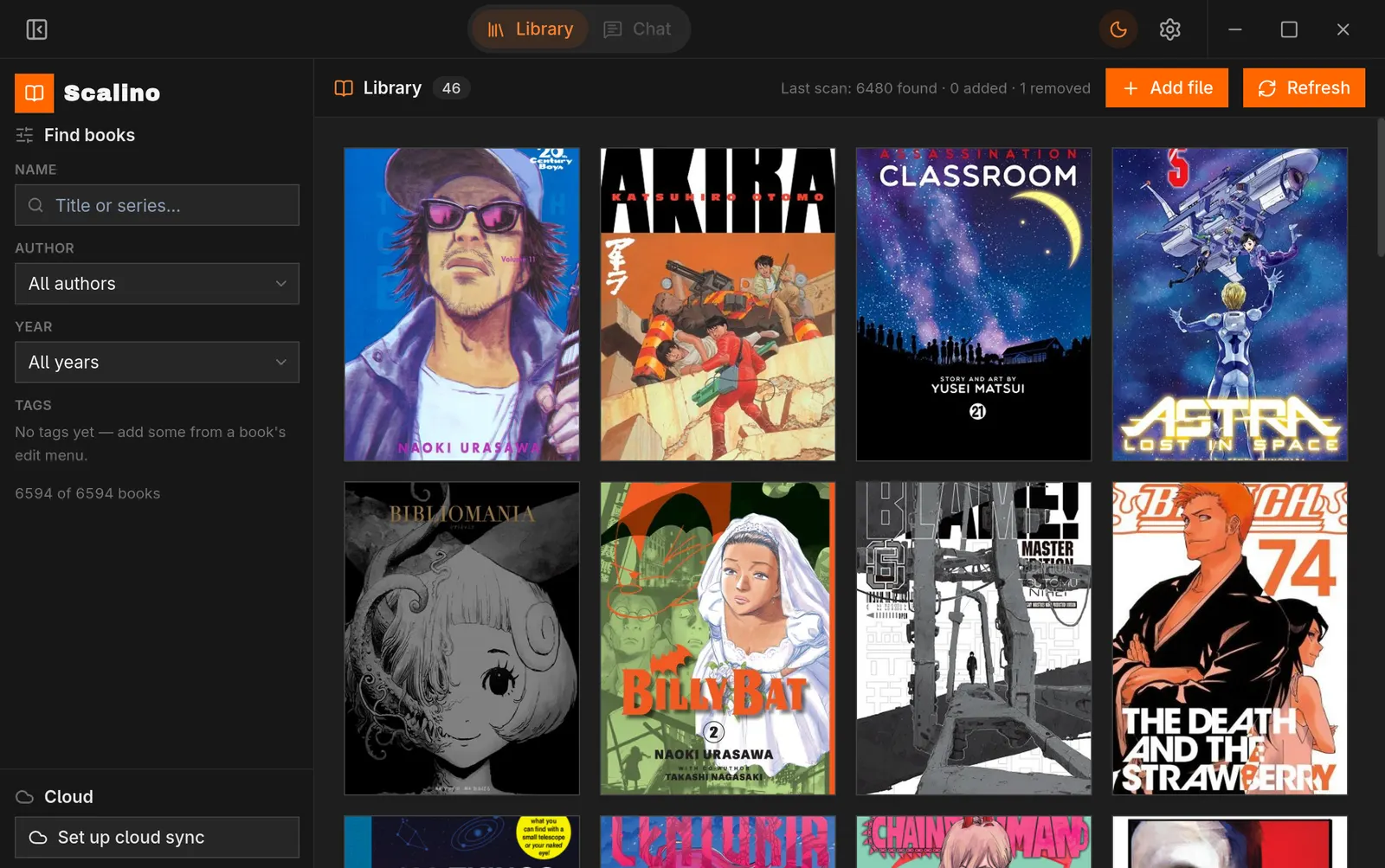
The shelf
Scalino was built for real collections — thousands of files, dozens of series, years of reading. These are the load-bearing shelves.
PDF pages rendered crisp by a native PDFium engine, EPUB in paged or scrolled mode, CBZ for your comics. Pinch to zoom, tap zones to turn pages, focus mode to disappear into the story.
Your library lives in a real folder — “Library” — on your own Drive. Desktop pushes automatically; Android pulls a book on demand when you open it. Nothing sits on our servers, because we don’t have any.
Ask questions about the chapter you’re in. Bring your own OpenAI-compatible provider — your key lives in your OS keyring, never in the app, and only a snippet of the current chapter ever leaves your machine.
Series view, volume/chapter hierarchy, and collections you define. A 249-chapter manga stays as browsable as a three-volume novel.
Stop on the desktop, continue on your phone. Reading position, notes and metadata sync through your Drive — conflicts merge per field, so the newest note wins, not the last device.
Scalino speaks Model Context Protocol: your library’s metadata and reading state are available to AI assistants on your machine. “What was I reading?” has an API now.
A look inside
Privacy, not a promise — an architecture
Scalino has no accounts and no servers of its own. The default path for your data is: nowhere.
Your library index, reading positions and notes live in a local database on your machine. Uninstall, move, back up — it’s all just yours.
Sync targets a visible Library folder on your Google Drive — open it at drive.google.com whenever you like. Your books never enter anyone else’s cloud.
API keys and sign-in tokens live in your OS keyring — macOS Keychain, Windows Credential Manager, Linux Secret Service — never in app storage.
No AI subscription bundled, no middleman. Point the companion at any OpenAI-compatible provider you trust — or leave it off entirely.
Runs on
Point Scalino at the folder you already have. The bookcase builds itself.
Download ScalinoInstallers for Windows · macOS · Linux · Android